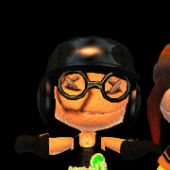
May 28, 20251 yr Localization Hello, ResHax forum. I have a question, which is more out of curiosity from me and a friend from Discord than anything else, but we have been discussing about exporting the models from PlayStation All-Star Battle Royale, which is a character-mashup fighting video game for the PS3 and PS Vita, similar to Super Smash Bros but with PlayStation characters. Is there a way, or tool we can use, to export the models from the video game? We are asking this due to some models we are both interested in exporting, mainly a model of one of the "Minions" (a companion for the characters from the game) which is based on Tag from ModNation Racers.
May 28, 20251 yr Localization Solution There was a tool for this I used to get Raiden out of the game, but it only worked on the handheld version, if I'm right there's still a MEGA file up with all the models exported, but you need a noesis script to view it. I am unsure if these are exactly it, but it's what I have listed in my files. https://mega.nz/folder/rcpHCY4C#xmNqh17xRtrIj-QU7Jpk9w https://github.com/Cri4Key/PSAS-Vita-Noesis
May 28, 20251 yr Author Localization 1 hour ago, DreamingOxxy said: There was a tool for this I used to get Raiden out of the game, but it only worked on the handheld version, if I'm right there's still a MEGA file up with all the models exported, but you need a noesis script to view it. I am unsure if these are exactly it, but it's what I have listed in my files. https://mega.nz/folder/rcpHCY4C#xmNqh17xRtrIj-QU7Jpk9w https://github.com/Cri4Key/PSAS-Vita-Noesis Thanks, this information is very helpful. Maybe it is not for the PS3 version, but it is still good enough. We are wondering though, is this from the retail version or from an updated version? The Tag minion was added through an update afaik.
May 28, 20251 yr Localization 8 minutes ago, splatmod said: Thanks, this information is very helpful. Maybe it is not for the PS3 version, but it is still good enough. We are wondering though, is this from the retail version or from an updated version? The Tag minion was added through an update afaik. Unfortunately I don't know, I found this mega link from back when I did MGSV modding, and the upload date was long before that, I found it on some forum. My best advice is to look around the MEGA drive and see if it's there, if not, searching through GitHub, XenTax archives, old YouTube videos, and just generally google might help find tools to extract an updated build. When I found out about extracting the game originally, you needed a bit of actual PlayStation source code in order to extract the .PSARCs, which was a bit of a pain to get a hold of, but it did work. If further help is needed, I can try scrolling through my archives to find what's needed.





Create an account or sign in to comment