





Skip to content
View in the app

A better way to browse. Learn more.

ResHax

A full-screen app on your home screen with push notifications, badges and more.

To install this app on iOS and iPadOS
  1. Tap the Share icon in Safari
  2. Scroll the menu and tap Add to Home Screen.
  3. Tap Add in the top-right corner.
To install this app on Android
  1. Tap the 3-dot menu (⋮) in the top-right corner of the browser.
  2. Tap Add to Home screen or Install app.
  3. Confirm by tapping Install.
Help us keep the site running.

Far Cry 3/4 custom model tool 1.0

(1 review)

2 Screenshots

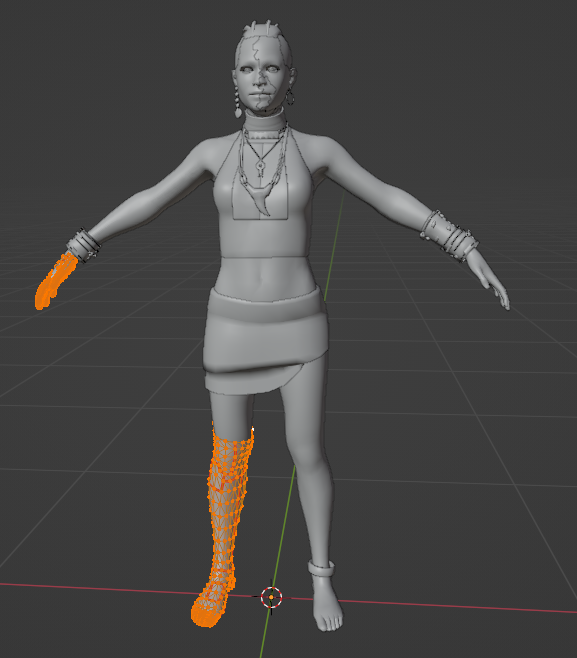
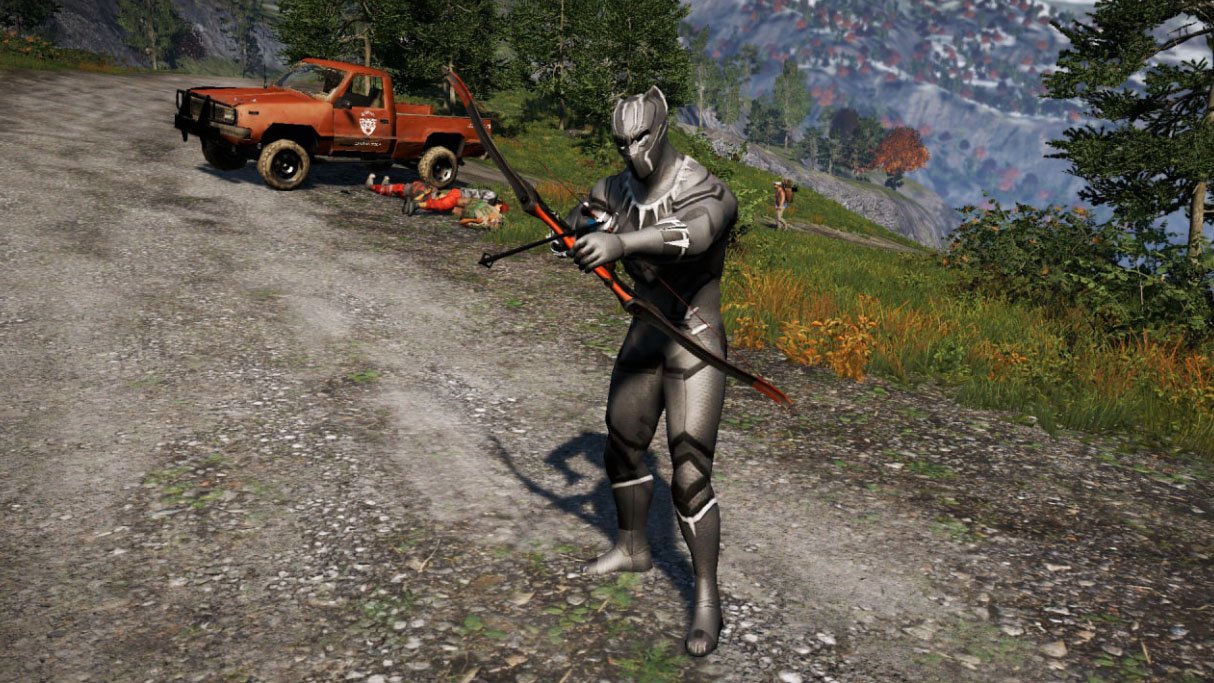
Tool to convert custom models into Far Cry 3/4 XBG format. Similar to previously released tool for Far Cry 5.

fc3mod.exe - for skeletal models (characters or NPCs)
fc3mod_static.exe - for static models
fc3mod_weapon.exe - for weapons

Usage:

1. Import or make your custom model in UE4.22.3, build it and save (you must get .uasset & .uexp)
2. run corresponding tool for static, skeletal models or weapons (fc3mod your.uasset original.xbg) - this will make XBG file
Example:

fc3mod.exe newvaas.uasset vaas.xbg

3. Import XBG file into the game

Important notes:
- in Far Cry 3/4 unlike Far Cry 5, models must be split into submeshes with no more than 48 bone influences.
- weapons can only be converted if custom model has same number of animated parts as original model, and each weapon part has only one material.

Edited by id-daemon


Game Name

Far Cry 3/4

User Feedback

Create an account or sign in to leave a review


Good luck, great.

Account

Navigation

Search

Search

Configure browser push notifications

Chrome (Android)
  1. Tap the lock icon next to the address bar.
  2. Tap Permissions → Notifications.
  3. Adjust your preference.
Chrome (Desktop)
  1. Click the padlock icon in the address bar.
  2. Select Site settings.
  3. Find Notifications and adjust your preference.