





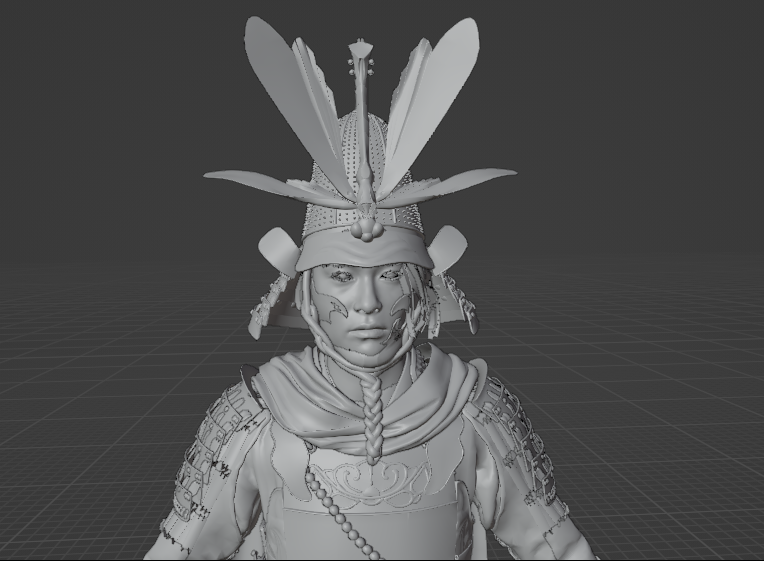
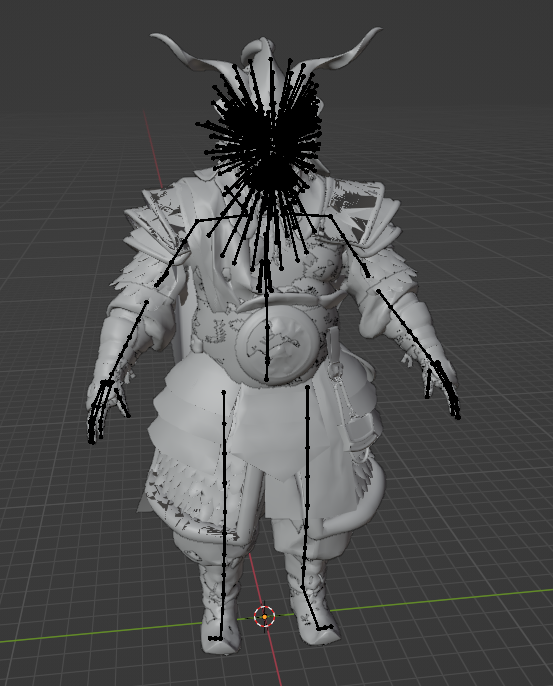
Tool can now export only skeletal models & textures.
Works similar to previous tsushima tool, but there are some important differences. Main hero model has too many optional parts (outfits/armors) so i decided to make an optional filter to only output selected parts. Same for NPCs, enemies etc.
All models in the game (at least from what i know) are described in XPPS files. Those with names starting from core_common_subcore...
There are 12 such files for enemies/npcs/animals etc, and a separate hero.xpps file for main hero.
Usage:
1. change path in .ini file
2. drag XPPS file with models onto yotei.exe (or run it from cmd)
this will make a list of all skeletal meshes in that file
3. copy new created .txt file and name it filter.txt
then edit it (if needed) - delete some lines, so it only has the part you need
4. repeat step 2
this will now export models and material lists
Texture export:
run the tool from command line:
yotei.exe tex
This will export ALL textures. If you only need some, remove unwanted textures from cache_ps5\bitmaps folder
Important notes:
- some meshes (mostly heads) have double skins (two sets of weights/bone indices), which require to setup 2 skeleton modifiers to work properly. This feature will be described later in more details;
- some meshes are borrowed from other xpps files, this is not yet supported;
- alternate materials not yet supported.
Double-skinned meshes:
Those will be exported to ascii file with double count of bones in the skeleton, first starting with "b_" and second starting with "bx_". In this state, merged skeleton will work incorrecty, its only done this way to make 2 sets of vertex groups, one for each skin (armature modifier). For example, human heads have 2 skins: facial and body. Another example is seagull, using one for wing deformations, and another one for main body.
To make it work, delete main skeleton, import one or both separate skeletons (named as _skb.ascii & _skx.ascii) and apply them to the same mesh. Note that modifiers must be applied to work sequentially, not mixed. This way you can first apply facial impressions, and then move main body bones of a model. Checked to work in blender. If its too complicated, just apply only one skeleton whenever you need facial or body modifier.
Edited by id-daemon
Game Name
-
 2
2
-
 1
1
Create an account or sign in to leave a review
There are no reviews to display.