June 7, 20242 yr Looking for help on figuring out how to decode the texture files for EyeToy: Play, they're ".ETI" files, below I've linked all the textures for Kieu as an example. Kieu textures.rar
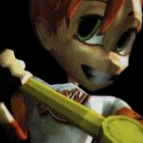
June 10, 20242 yr Some partial investigation: 50h, 52h - width and height D8h - palette and pixel data in 8-bit PS2 address-swizzled layout at a width of 128. //-------------------------------------- //--- 010 Editor v6.0.3 Binary Template // // File: // Author: // Revision: // Purpose: EyeToy .ETI files //-------------------------------------- LittleEndian(); typedef uchar uint8; typedef struct { uint8 header[4] <bgcolor=0x0080FF>; uint32 unknown <format=hex>; uint32 fileSize <format=decimal, bgcolor=0x0040FF>; // Full size, including this field and the preceding bytes. uchar fileName[0x44] <bgcolor=0x00D000>; uint16 width <bgcolor=0xFFD000>; uint16 height <bgcolor=0xFFD800>; uchar unknown2[0x84]; } EtiHeader; EtiHeader etiHeader; // D8h begins the palette and address-swizzled PS/2 pixel data. uint8 graphData[etiHeader.fileSize - sizeof(EtiHeader)] <bgcolor=0x00FFFF>; Then if you start from D8h and unswizzle the 8-bit data, you get the palette and pixels as 32x32 tiles, with the first 32x32 tile (1024 bytes = 256 entries x 4 bytes) being the palette and following tiles being graphics. Remaining steps (for you or others to figure out, or me if I have time and motivation later): Palette data - it's clearly 32-bit data with FF for full alpha (not 80h like native PS2 palettes), but what is the color entry order? Graphics data - where are the tile indices stored to unscramble the data? Manually rearranging the data via Aseprite, we get Kieu's winking face: But as you know, the colors should look like:





Create an account or sign in to comment