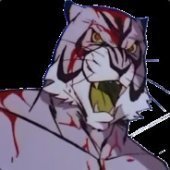
November 27, 20232 yr Greetings. So against all odds my first post here is a request for assistance. I've tried, on nothing more of a hunch, Noesis and various tools for RE2/RE3 original, but let's be frank: nothing worked, no surprise there. While it's seen that this is pretty much similar to the old RE engine (directory structure strongly suggests this), it's different enough that I can't use any tool I know of to convert enemy models to usable format. Any of these three games being cracked open would do nicely, but Onimusha 3 would net me the best results. I would need models of Marcellus and Gertrude extracted. While Marcellus pops up in Oni1, Oni1 HD and Oni3, the guard dog appears in 3 alone. I'd rather not use Ninja Ripper as I'd want models with animations if possible. Marcellus would be used to modify a different creature in a different game while Gertrude would be a straight up port there. Any help on this front would be much appreciated.





Create an account or sign in to comment