Jump to content

Search the Community

Showing results for tags '3dmodel'.

  • Search By Tags

    Type tags separated by commas.
  • Search By Author

Content Type


Forums

  • Game Modding
    • Tutorials
    • 3D/2D models
    • Audio file formats
    • Graphic file formats
    • Animation file formats
    • Video file formats
    • Misc file formats
    • Game engine file formats
    • Game Archive
    • Compressed files and methods
    • Code Talk
    • Game Localization
  • Game Tools Support
    • Applications/Tools
    • Scripts or Other Utilities
  • QuickBMS
    • Releases
    • Discussion and Help

Product Groups

There are no results to display.


Find results in...

Find results that contain...


Date Created

  • Start

    End


Last Updated

  • Start

    End


Filter by number of...

Joined

  • Start

    End


Group


About Me

Found 11 results

  1. I wanted to be able to modify the model, or convert it. I tried to get Noesis to read it, or Blender, but it doesn't work. It doesn't looks complex. If anyone can help, I would be grateful. PL01.zip
  2. I'd like to be able to modify the 3D models in this game, but to do that I need to be able to extract and import them. So far, what I've noticed is that their header is always (54 67 4D 44) [TgMD], the animations always seem to have the header (4B 4D 44 73 71) [KMDsq], while the textures are basically TM2 with the header (4B 32 54 78 80 00 00 00 80 00 01 00 80) [K2Tx€] located at the end of the model. It seems quite simple and organized, but so far no program I've tested has even been able to read it. What I also know about the game is that the models were made in Softimage, and the engine seems to be a custom Renderware engine; I imagine the model is designed to take advantage of the PS2's fast memory. I don't know if there's an easy way to edit them in Blender or another program, but if anyone can help in any way they can, I would appreciate it. Here is one model of the game. Tenchu PS2.zip
  3. Hello! I tried to rip models from Spore Hero, and I was able to handle the vertices and UV coordinates, but I had problems with faces: I can't find their exact data at all. All I know about the rpm structure at the moment is that polygons have a "blocked" structure: a polygon that consists of faces(?), vertices, UV coordinates, and possibly some other information. Each such polygon has the following header: 50 48 01 96 01 34 00 31 01 46 20 11 00 00 07 00 00 00 07 20 00 00 0A C8 00 00 0E 34 00 00 00 00 All I can say about the header is that 01 34 indicates the number of faces. How can I understand this if I can't display them? Well, the game Spore has exactly the same models in a different format (.rw4/.rdx9), but not all of them. Immediately after the header, there are presumably faces, and here repeats the bytes 98 00 04 00, after "faces" following 16 bytes of 00, then vertices and UV cords. Here is an archive with the model and the addresses of the vertices and UV cords: (Hope this info helps to figure out how rip rpm models) UPD: I just noticed that I used a header from another model as an example. Now the header is from the archive CE_simple_sphere.zip
  4. Hey guys! First post here. Basically I need your help to extract the 3D mesh from a Unity mobile game called "Russian Car Drift" I used AssetStudio to extract the files, the textures are in .png and the 3D mesh is stored as .dat and .bytes files, somebody told me that I need to create a script to run these files and then I can finally import to Blender. But the problem is, I don't know nothing about programming 😞 can you guys please help me?
  5. I'm looking for a conversion for the game Mighty Action X's models I have little to no experience with models but what I do know is that its in a MDL format and probably a TCP file. The game came as a bonus when buying All Kamen Rider: Rider Revolution in 2016 and is more of a demo than anything else. The zip file is the model folder in the game's files. Sample.zip
  6. Basically this character is a boss that you are never shown in-game due to story reasons however im 99% sure she has a model because you can see the silhouette during gameplay. I just want to see her model, doesn’t even have to be extracted. But I’ve found no luck trying to do it myself. My ideas were model extraction or using a free camera in-game. I use a mac so have had no luck with apps to help with this (don’t/can’t run on mac). Ive had no idea where to ask for help with this so I hope this is the right place.
  7. Hey everyone, I'm currently reverse engineering NCAA Football (PS2, developed by EA Tiburon) and have run into a proprietary 3D model format used throughout the game: .DMF. From initial inspection, this format appears to be used for player models, helmets, coaches, and possibly stadium objects. The files aren't standard formats like OBJ or MDL, and I haven't found any documentation on them. I'm trying to fully reverse the format to export/import geometry, UVs, materials, and possibly skeleton data. models.zip
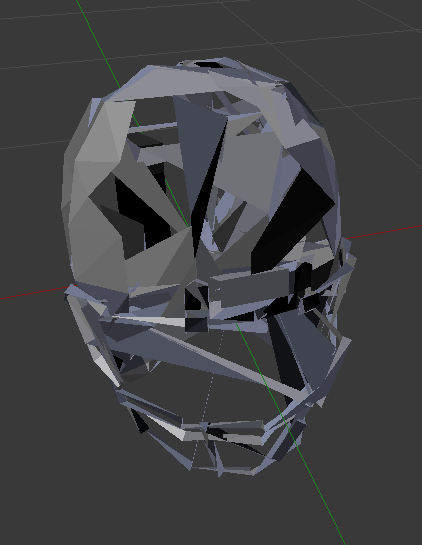
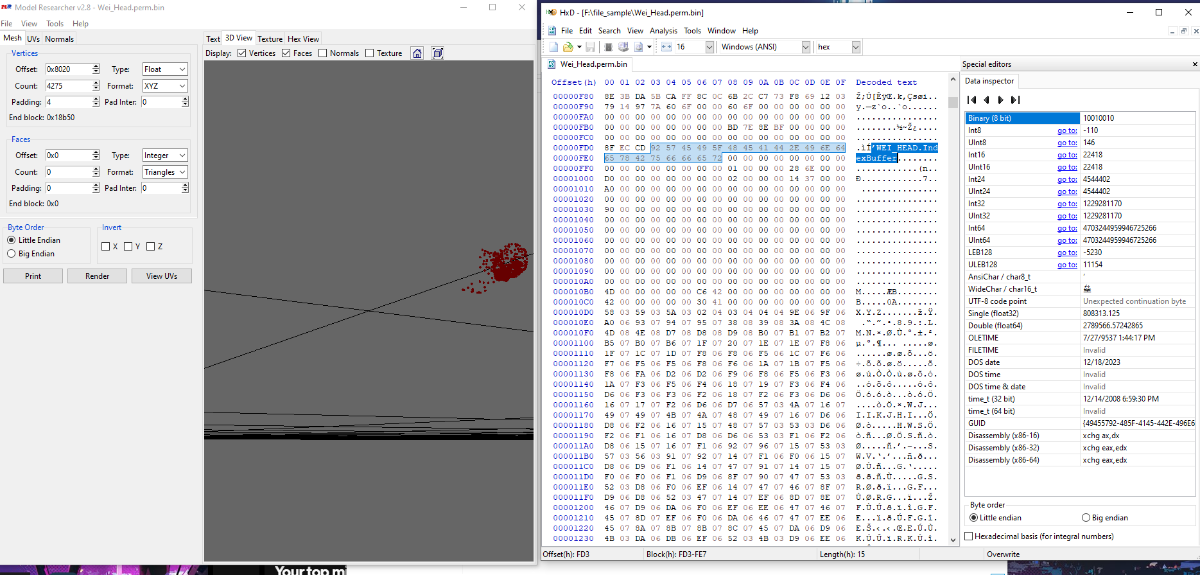
  8. can someone help me regarding something related to binary i correctly reverse engineer and found vertex buffer for head build a head i also found the face indices section as the format was very easy but the problem is i use model researcher and enter the starting offset for face indices it form the faces but in wrong direction as in the picture provided also the format is very easy so if any one wants to help me out the model is also provided as well Wei_Head.perm.zip
  9. Okay I want to get the 3d models (Cars and tuning parts) from these two game franchises 1. Motorstorm 2. Fuel Before it is asked, Ninjaripper doesn't work with RPCS3. I've also checked discord servers but not really much help there. If you know anything about either franchise, I'll like to know. I want to mod these vehicles into GTA V and others. Thank you
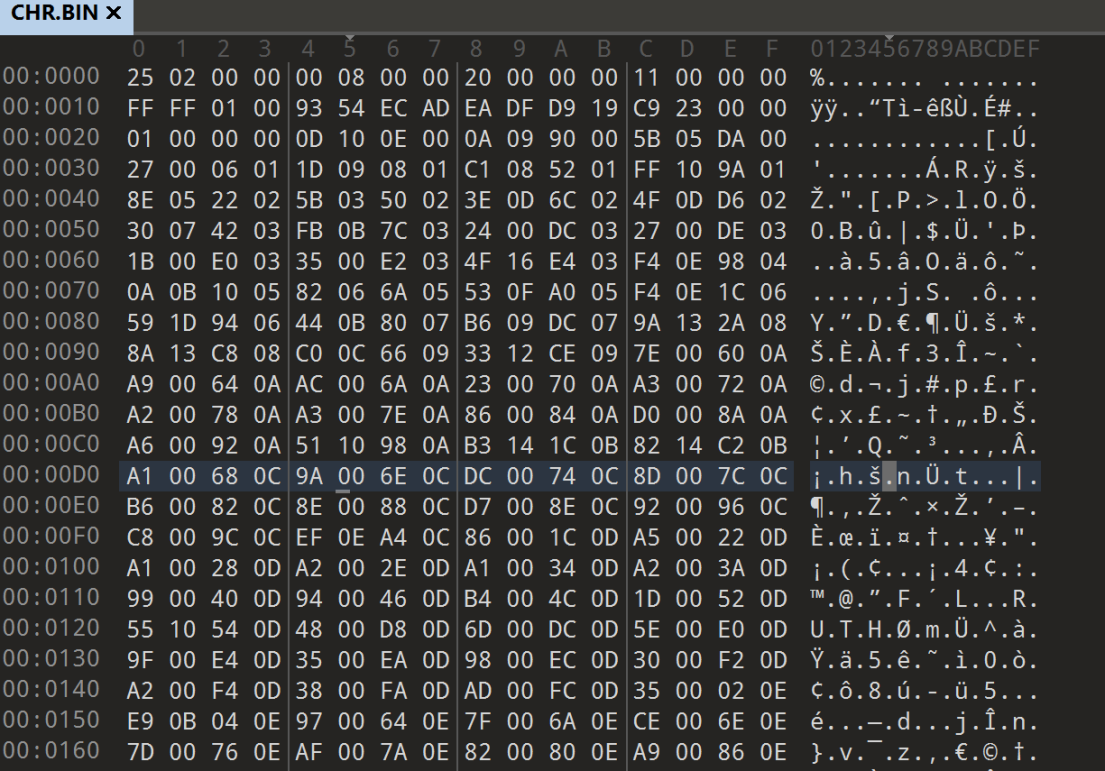
  10. im trying to extract all the 3d character models from a 2010 japanese psp game, kingdom - ikkitousen no ken i was able to extract the iso game file, this is whats under PSP_GAME -> USRDIR im guessing the 3D character models are under CHR.BIN, i already tried extracting the file on noesis but i didn't work. game file: https://mega.nz/file/MRolWAjZ#CaluJ5t-MXNZ9aYkXZN4brI-q8S84F9A7YT_UyWDqXQ the file i think character models and textures are: https://mega.nz/file/hRIHRRhZ#kUMbGL44e5py-tCM9UoK7ISadTP0DQDVPoHBdSROJuI I know little to nothing in this field and was wondering if anyone could help me out
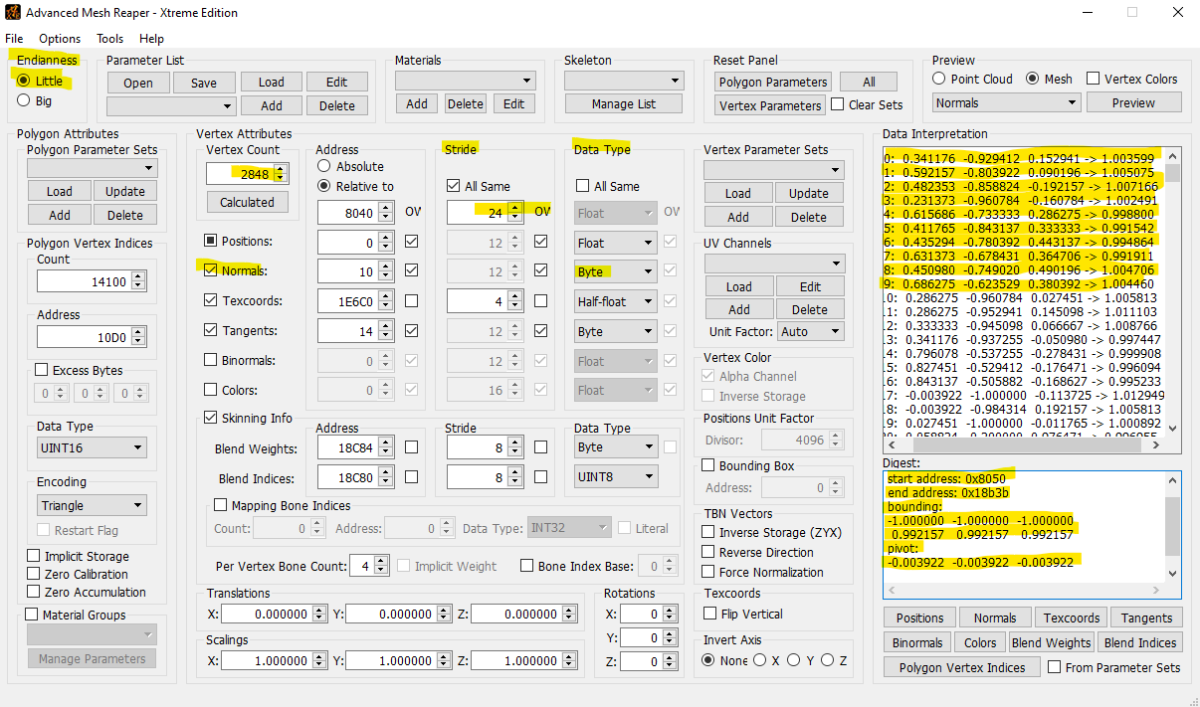
  11. I need some help regarding the c++ script i wrote it reads normal data as floats from obj file then convert it into byte and inject it into the binary game file but some how the normals data mess will vertices data and in game the vertices explodes without normal injection the mesh works fine in game. Also that normal data is within the vertices section. I have provided pic of the AXE mesh reaper u can see normal starting offset in file as well as face count vertices every info in the image also i have provided the model file as well and my c++ code which only inject normals from obj into the binary file you can check the script and see where my mistake and correct it i will be really obliged, thanks. normal injector.rar Wei_Head.perm.zip
×
×
  • Create New...