Tools
Any complete tools can go here
1,795 files
-
i used this when i converting song files or voices files from sound voltex (sdvx)
which program used `.s3p` as audio file extensions.
Usage Guide.
you need installed python.
ADDED Python to PATH variable.
Python path setting guide.
extract the zip file to .s3p files are located.
> root (.s3p files folder)
>> runMe.bat (For windows user.)
>> sp3Converter.py
>> example.s3p
- 116 Downloads
Updated -
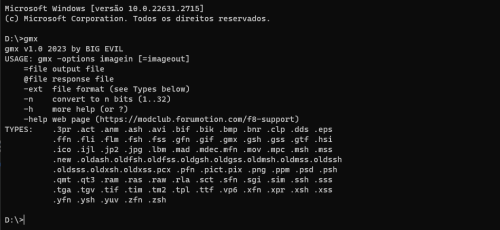
Comand line tool to work with PS1/PS2/PSP/PS3/PC graphic files.
Include a various formats between texture e video, include Electronic Arts files like ssh, fsh, psh.
- 53 Downloads
Updated -
========================================
Capitan Morgan Text Tool v.1.0 (2023)
Created @by Michalss (https://reshax.com)
==========================================
Arguments:
-u, u = unpack text
-p, p = pack text
-h, h, /? = print help
Usage:
CapitanMorganTextTool.exe -u [binary_file]
CapitanMorganTextTool.exe -p [text_file]
- 56 Downloads
Updated -
GTS_MDL is the tool for models.
Current version extracts static models and textures. Skeletal models also supported, but will be exported static. Car wheels and some other parts will be not in correct positions. This may be corrected with future adding their skeletons and weights. You can convert maps (tracks/courses) with this tool, after you extract the track from PACK file with GTS_Pack tool.
IMPORTANT NOTE. The tool extracts the highest LOD of game data. Many car parts are using tesselation. These meshes are marked with "_T" in their name. Thats why they look like they are low detail. But actually those are highest quality meshes. This tech was also used in GT6.
Usage: drop model file onto the tool.
OBJ & ASCII files will be created. ASCII will have all UV layers.
GTS_PACK is the tool to unpack PACK files, which contain tracks.
It will hopefully unpack ANY pack from GTS, not just tracks.
Thats how it works:
Any pack contains a few sections
usually 2: SYS and VRAM
naturally its data loaded into system and video memory
these sections have names
after unpacking, you will see all of them in subfolder
then you must know that the usual model files are combined data for SYS and VRAM
so to make it work, you have to MERGE 2 parts of the PACK into one
for example
you have world.sys & world.vram
merge them (sys first) and then model tool will convert it
You can merge files via any tool you have for it, or windows command.
For example: copy /b WORLD.SYS + WORLD.VRAM WORLD
- 531 Downloads
Submitted -
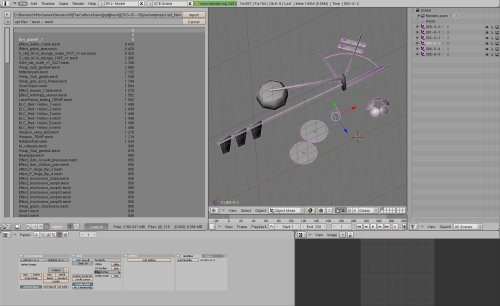
Mesh extractor for the game "The Outforce".
It was created for the demo version of the PackedProject.opf file, so this program is needed to be updated, although I'm not good at neither python, nor Blender...
It only works for the .CBaseClass files...
This program was not created by me!
*Special thanks to Szkaradek123 for creating the program.
It would be really nice if someone could update it and / or "convert" the Python code to C# or C/C++.
- 6 Downloads
Updated -
Hello guys again!
Here's my tool for the game: BHunter - a.k.a bounty hunter.
This is an *.bin / *.dat extractor GUI program with many features. See attached pics.
More functions, features will be implemented, which means that
this program will be updated multiple times!
- 31 Downloads
Updated -
This is a plugin for photoshop that allows you to open texture that are in .dds file format in photoshop.
How to install?
Simply put the DDS.8bi into your Photoshop's Plug-ins folder
Example C:\Program Files\Adobe\Adobe Photoshop CC 2019\Plug-ins
- 190 Downloads
Submitted -
gtf extractor & gtf2dds tools by liljon042
gtf extractor and gtf2dds tools are used for ps3 texture files that are in gtf format. The gtf2dds converts the texture files into dds format.
How to use?
Simply drag & drop a gtf texture file onto the exes and it will output the files for you.
- 376 Downloads
Submitted -
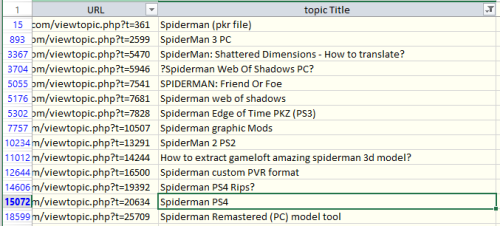
Here is a list of all (or almost all) Xentax topics archived by wayback machine. Find topic name with search or filter (see "spiderman" screenshot as example), then copy URL for the list, and open it.
There you can read the whole topic, with instructions and comments. But there will be no attached files. You can get attached files from archive.org - https://archive.org/details/xentax.7z in "attachments" folder. They are sorted by forum number and topic ID. So you have to look into corresponding forum folder (16 = 3d models in this example) and topic folder (20634 for spiderman PS4) - there you can find all files attached to that topic for each post (in there are many).
- 1,342 Downloads
Updated -
- 20 Downloads
Submitted -
- 144 Downloads
Updated -
Noesis script for meshes and textures of Marvel's Avengers 2020
Works:
- geometry
- multiple UV channels
- skeletons/skin (test)
- textures
- multiple textures in single file (usually standart and HD)
- split LODs (use pugin versian 29, version 25 outdated, left just as archive. )
Does not work:
- some textures
update 16.09.2020
add:
- skeletons/skin (test)
- script for skeleton searching
- multiple textures in single file
update 19.09.2020
add:
- split LODs (use pugin version 29, version 25 outdated, left just as archive. )
update 01.10.2020
improved texture support
update 14.10.2020
add:
support LOD's number for submesh.
Now script load ONLY LOD1 (with max detalization).
You can load all LODs - edit script for it
string 30
CODE: SELECT ALL
LoadOnlyLod1 = True
set to
CODE: SELECT ALL
LoadOnlyLod1 = False
hotfix14.10.2020#1
Some models has lod0, added its extraction to parametr LoadOnlyLod1
Extracting characters with skeleton:
place skeleton file to folder with model,
skeleton name must be strictly "skeleton.maskl".
Skeleton be found in DTPData folder. It's just a renamed *.dtp file
You can use skeleton_finder.py tool for search "skeleton"'s file.
Just edit "search_dir = "D:\\marvel\\drm_unp"" to your path - script check dpd files, copy and renamed its to "skeleton_XXX.maskl" in same folder.
The script may not find all the files, or it may mistakenly recognize some of them. It doesn't fully parse the file structure - it just looks for similar ones.
For some models, skeletons need to be looked for in other "DRM" folders.
You can use noesis to view skeletons structure.
Thanks (Nicknames taken from Xentax) :
Dazzy - for researching the skeleton structure
Based on Gh0stBlade's script for Tomb Raider
- 182 Downloads
Submitted -
Uploading all my tools will take a lot of time, so this is temporary solution.
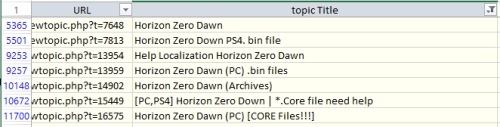
Most of my tools were released on zenhax, and now available with wayback machine. But how to find them? Here is a list of all topics from Zenhax archived by wayback machine, including attachments and inline scripts. Find topic name with search or filter (see "horizon zero" screenshot as example), then copy URL for the list, and open it.
This way you can download almost all of my tools. And also all tools/scripts published by others through the years.
- 1,305 Downloads
Submitted -
Hello, guys!
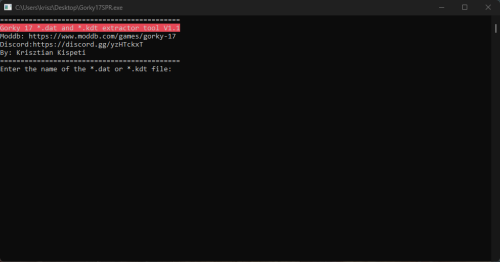
Here's my *.kdt / *.dat extractor tool designed for the game: "Gorky 17".
It's a simple console line application.
More info in the readme file.
This program will be updated multiple times. Also working on the other fileformats that the game uses as well as the GUI version of the program...
- 13 Downloads
Submitted -
universal script based files extractor and reimporter.
QuickBMS supports tons of games and file formats, archives, encryptions, compressions, obfuscations and other algorithms.
QuickBMS uses a minimalistic GUI if the executable is double-clicked (launched normally) or from command-line if launched from the console, by using this second mode or a link to the executable it's possible to activate many useful and advanced options.
History:
the idea was born from the need of a simple and fast solution for handling the archives used by the majority of games without wasting time writing a stand-alone tool with tons of C code just for a basic file format. so this tool has been created mainly for myself for creating my extractors quickly on the fly, and secondly for any other user who wants do the same without learning a real programming language. the BMS language is basic, easy to use and exists from over 10 years, what I did was simply enhancing it for my personal requirements and making the life easier when handling complex archives and file formats.
Features:
open source and multiplatform, tested on Windows (even Win98) and GNU/Linux (x86 and PPC) works from both command-line and GUI (Windows only, just double-click on quickbms.exe) reimport and reimport2 modes for reinjecting the modified files back to the archives support for tons of encryption algorithms, even some proprietary ones support for tons of compression algorithms (over 700), even some proprietary ones support for tons of hashing algorithms support for other types of algorithms (like base64) and/or obfuscations (xor, rot and so on) support for calling DLLs and raw dumped functions with almost any known calling convention support for bits operation and switchable little/big endian simple and dynamic language that allows to make many operations reducing the percentage of archives and formats that can't be supported easily verbose option (-V) that displays all the needed details during reversing and testing of file formats HTML output (-H) that automatically applies colors and names to the fields parsed during the usage of the scripts: example for zip.bms on q3infoboom.zip possibility to use the tool as a blind scanner of compression, encryption and crc/checksum algorithms support for network sockets, SSL and http/https support for other alternative input/output interfaces like processes (included debugging and automatic breakpoint restoring), audio, video and Windows messages support for the visualization and creation of various types of data like x86 assembly, IP addresses, time_t, FILETIME, ClassID and more support for C-like structures and basic syntax for easy handling of file formats support for any command-line decompressor/decrypter/anything_else via the EXECUTE method (Comtype and Encryption commands) read and write operations quickbms_4gb_files.exe is a native 32bit program with all the variables set as 64bit useful in some situations planned future development that will cover more advanced features for reverse engineers and power users customizable CRC engine tons of scripts supporting hundreds of file formats and thousands of games experimental games localization (strings editing) creation of ISO images and ZIP archives as alternative outputs embedded C compiler to use C functions at runtime support for embedded Python and Lua scripts experimental IPC interfaces: named pipes, mailslot, web and dll support for the WCX packer plugins of Total Commander Created by great Aluigi
- 489 Downloads
Updated -
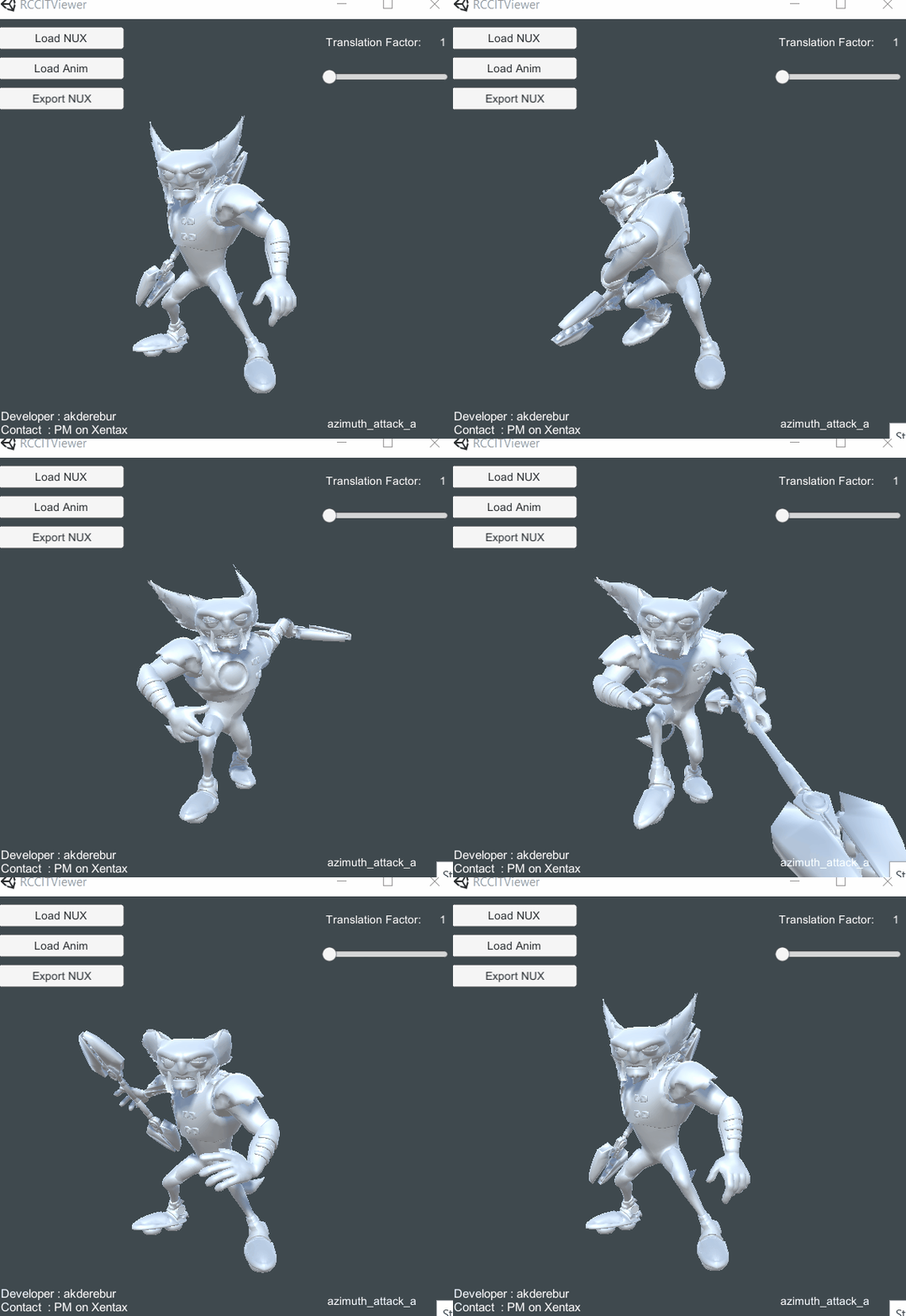
A tool for previewing/exporting animations from the PS3 games Ratchet & Clank Future: A Crack in Time, Into the Nexus, Full Frontal Assault, and All 4 One. Some animations may not work. Root motion is there, but it is applied on a separate bone that is not part of the skinned bones. The root skinned bone should be parented to this root motion bone so that the model moves properly. This is how it's done by the game, not something I choose to do.
How to use
0) Get the game files
1) Extract the level psarc you want
2) Drag and drop the assetlookup file on Insomniac Engine AllExtractor: Tool Download Page
3) Animated models are extracted to moby folder. Load the model (irb) in Noesis using the included script
4) Export it to NUX
5) Load NUX in RCCITViewer
6) Load the matching animation file in animsets folder. Read below for finding the correct animation file
7) Export the animation to NUX
8 ) You can load the exported file in Noesis and convert it to any format you want
Note: Animations usually work fine with default translation factor. However, some models, like Qwark, need a higher factor. If the model looks weird/broken increase the factor.
Finding the correct animation file
I have included a program called RCCITAnimList. Drag and drop the animsets folder on it. It will create a text file listing all the animations contained in each file. You can understand which file to load based on the animation names.
Credits
- Ghostblade - Noesis script for irb models
- PredatorCZ - Insomniac Engine AllExtractor
- 110 Downloads
Submitted -
Output is good enough, but for big compiled lua (luab) it won't have 100% accuracy, in others, it won't output like it's stuck in a loop.
Written in Visual Basic from looks of it, and it's very ancient. From what I know it's the only LUA Decompiler for ancient Lua 4.0 version (not the 5.0+)
Uploading it here in case internet websites go down yet again (to prevent "lost media")
- 52 Downloads
Updated -
- 923 Downloads
Submitted





.thumb.png.cd0f06568e7439643670abbabe99fd72.png)